
A booking is a customer request. A job is the work your team performs. They are linked but serve different purposes.
Steps
1. Customer books online
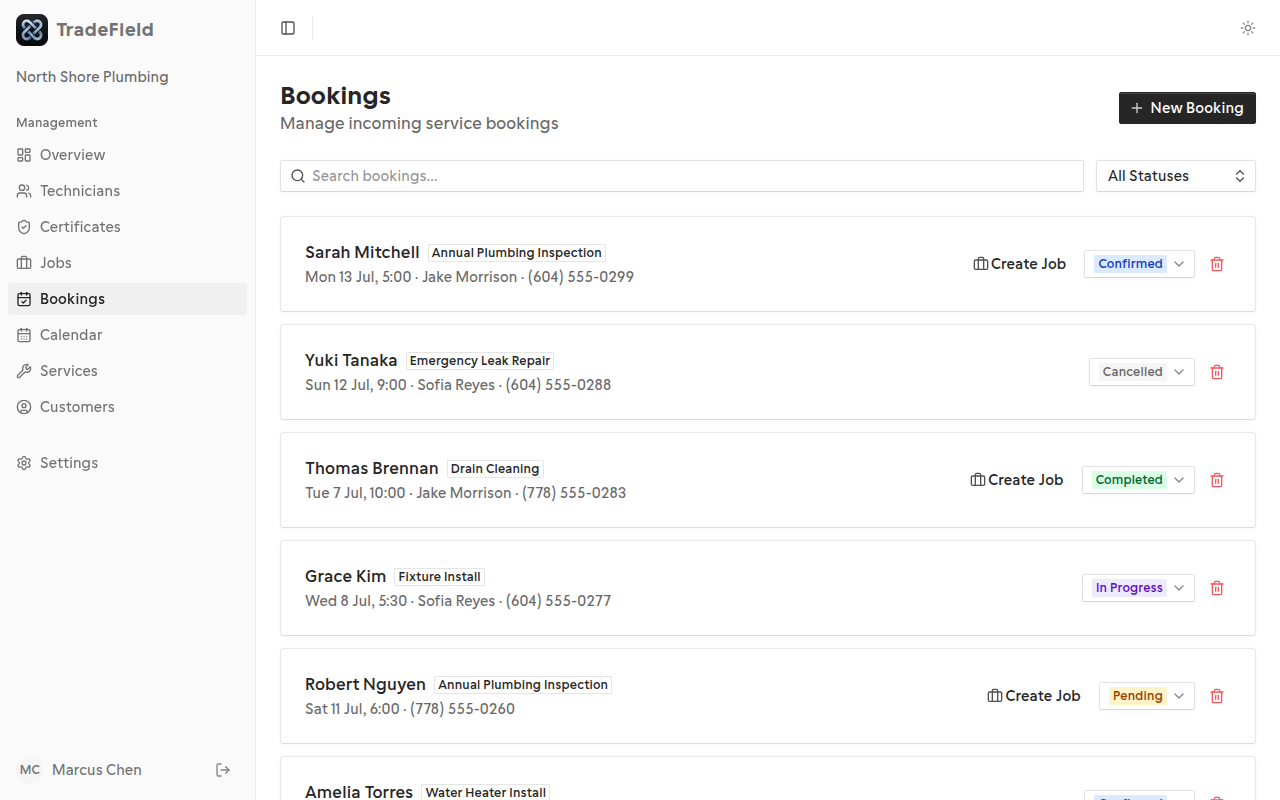
Public bookings create a booking record (usually pending) and may auto-create a job when the customer picks a specific technician.
2. Admin reviews bookings
Use the Bookings page to confirm or cancel requests. Confirmed bookings appear on the calendar.
3. Jobs track field work
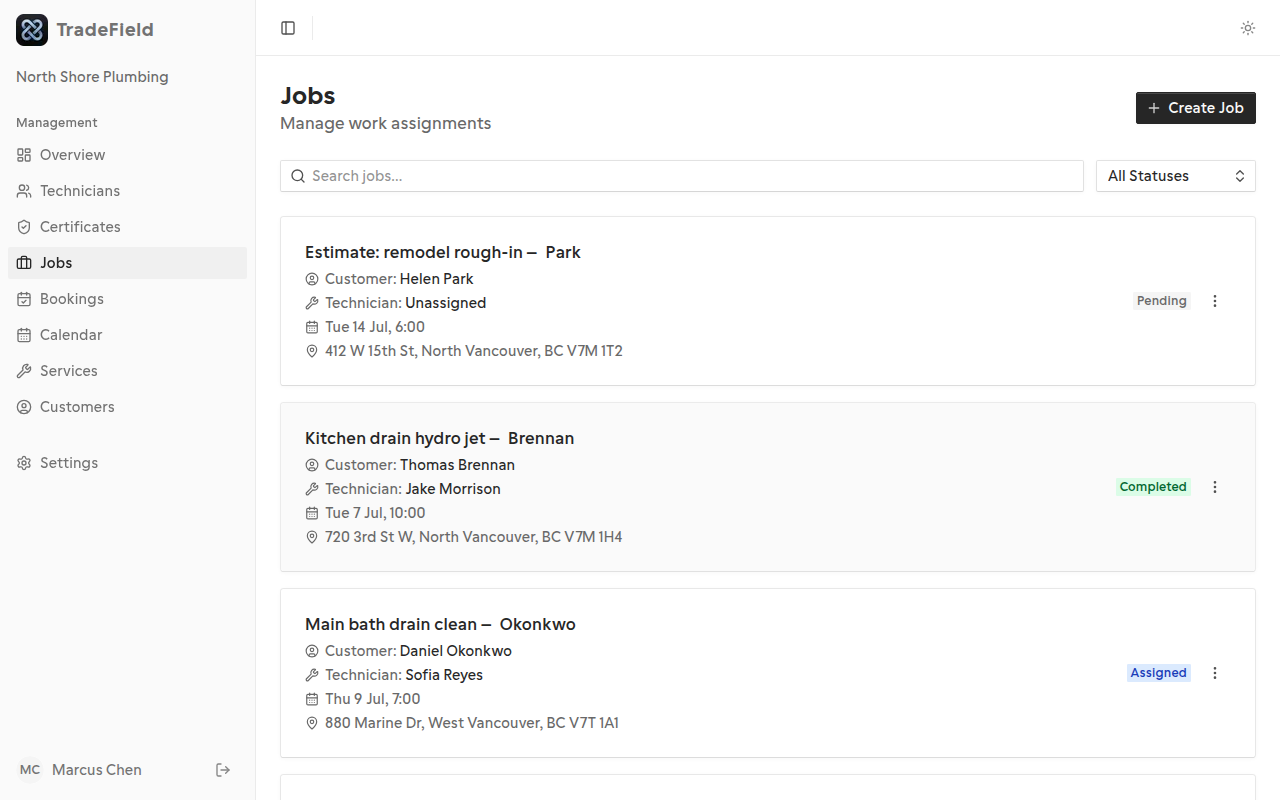
Jobs hold tasks, notes, and assignment details. Technicians update job status from the tech portal.
Common questions
Why is my booking still pending after a customer booked?
Where do I add tasks and notes?
Related guides
Last updated 2026-07-05. Contact support if you need more help.