
Jobs represent work your team performs. They can be created from bookings or added directly.
Steps
1. View all jobs
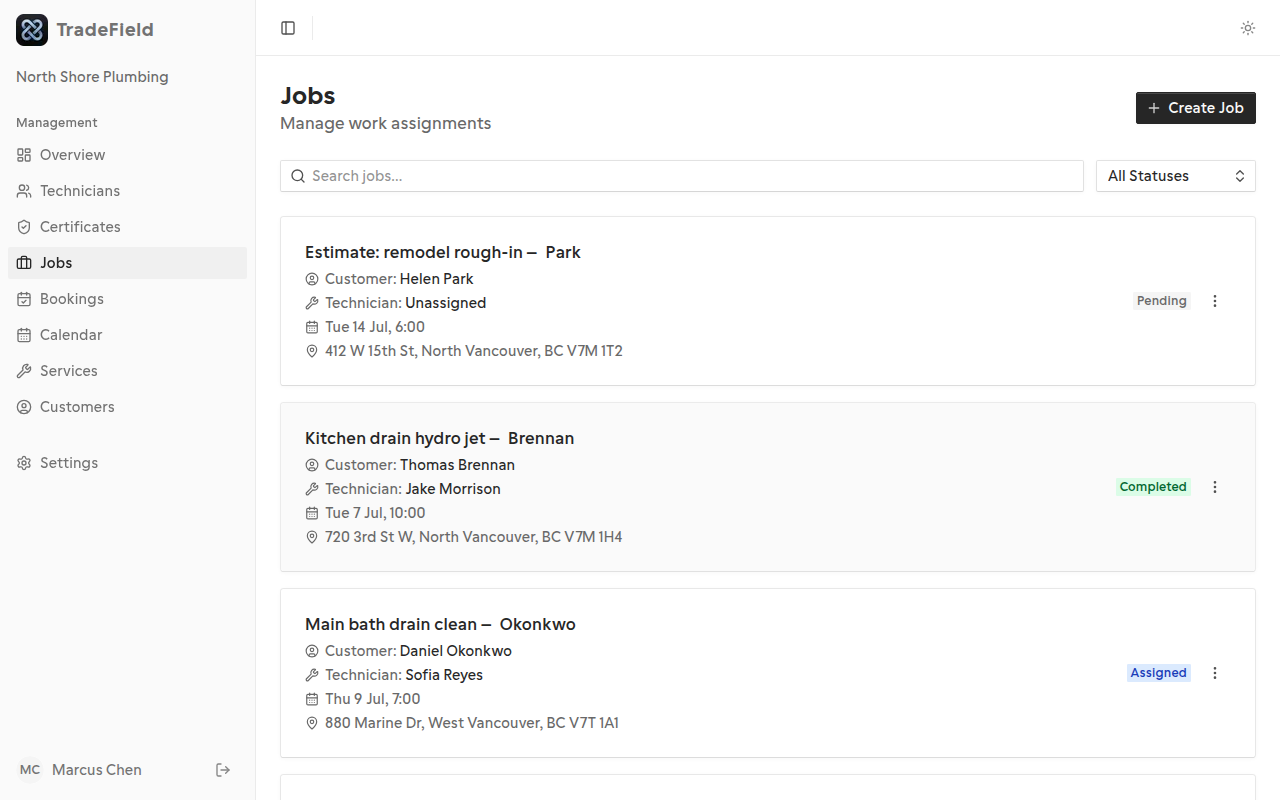
Open Jobs from the sidebar to see every job with its current status.
2. Create a job from a booking
On the Bookings page, use Create Job for bookings that don't yet have linked work.
3. Open job details
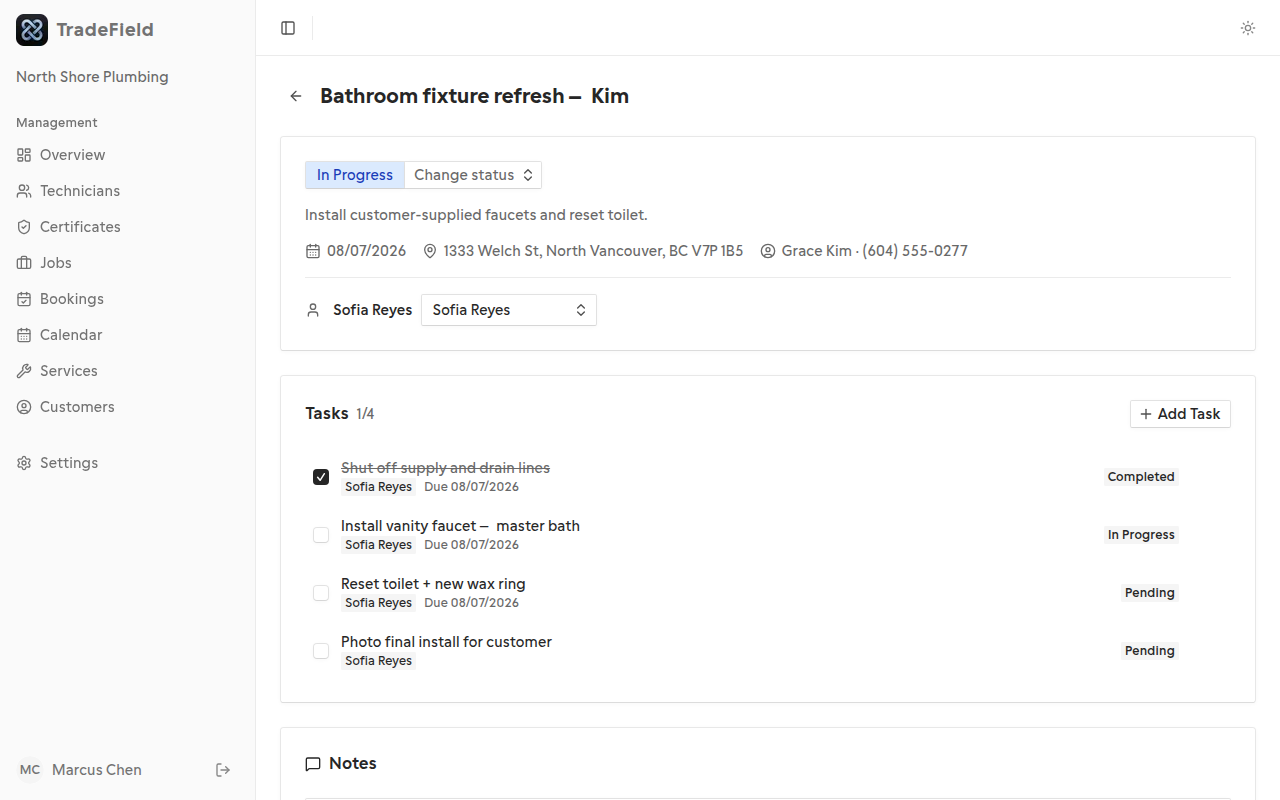
Click a job to manage tasks, notes, and see assignment details.
Related guides
Last updated 2026-07-05. Contact support if you need more help.