TradeFieldTradeField
Help centerHome
  1. Help
  2. /Owners & admins
  3. /Use the calendar

Use the calendar

View bookings and jobs across day, week, and month views. Navigate dates and spot scheduling conflicts.

Owners & adminsOwnerAdmin4 min

The calendar aggregates scheduled bookings and jobs so you can see your team's workload at a glance.

Steps

1. Open Calendar

Select Calendar from the sidebar.
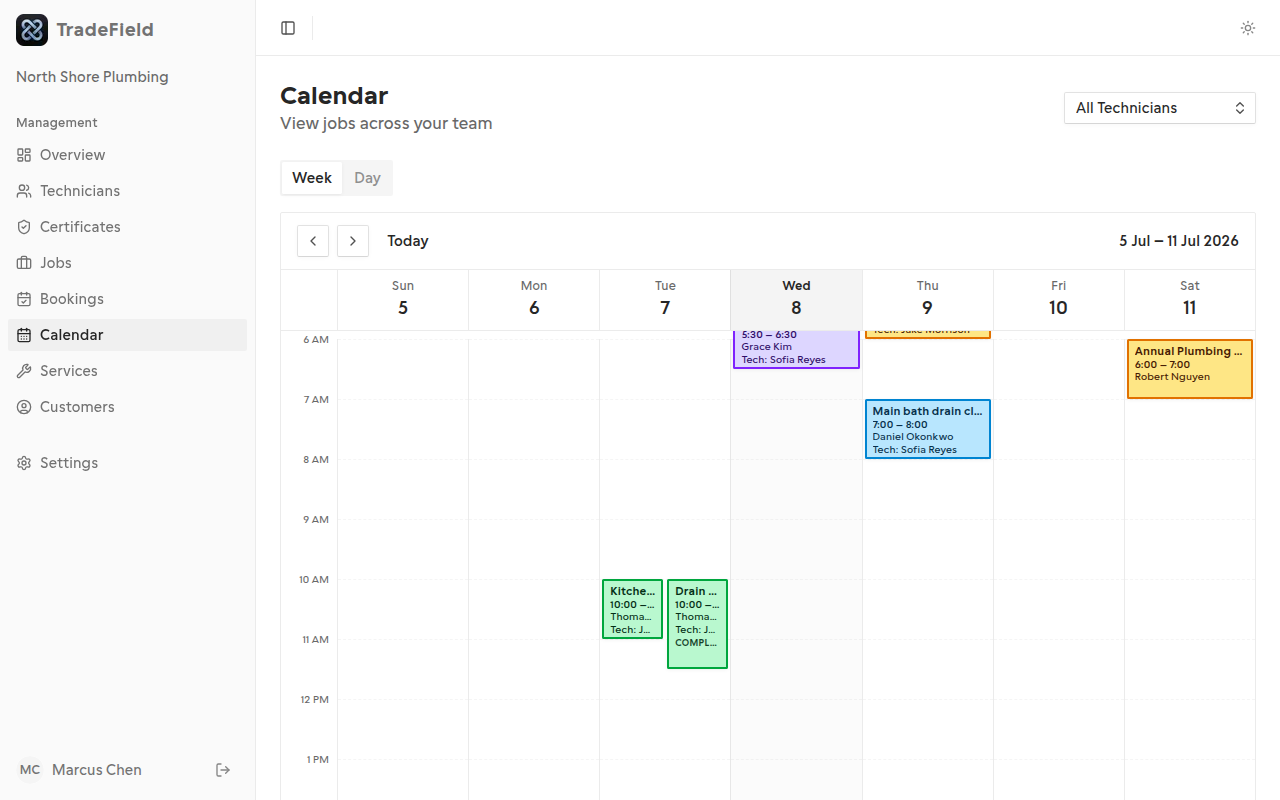
TradeField calendar in month view

2. Switch views

Toggle between month, week, and day views. Click an event to see details.

Related guides

  • Manage bookings

Last updated 2026-07-05. Contact support if you need more help.

Help centerSupportPrivacyTerms

© 2026 TradeField. All rights reserved.